
Organizations and environments
An organization contains members and one or more environments. An environment defines a cloud provider, management type, region, applications, credentials, studios, and resources.
Create a Managed Environment
Section titled “Create a Managed Environment”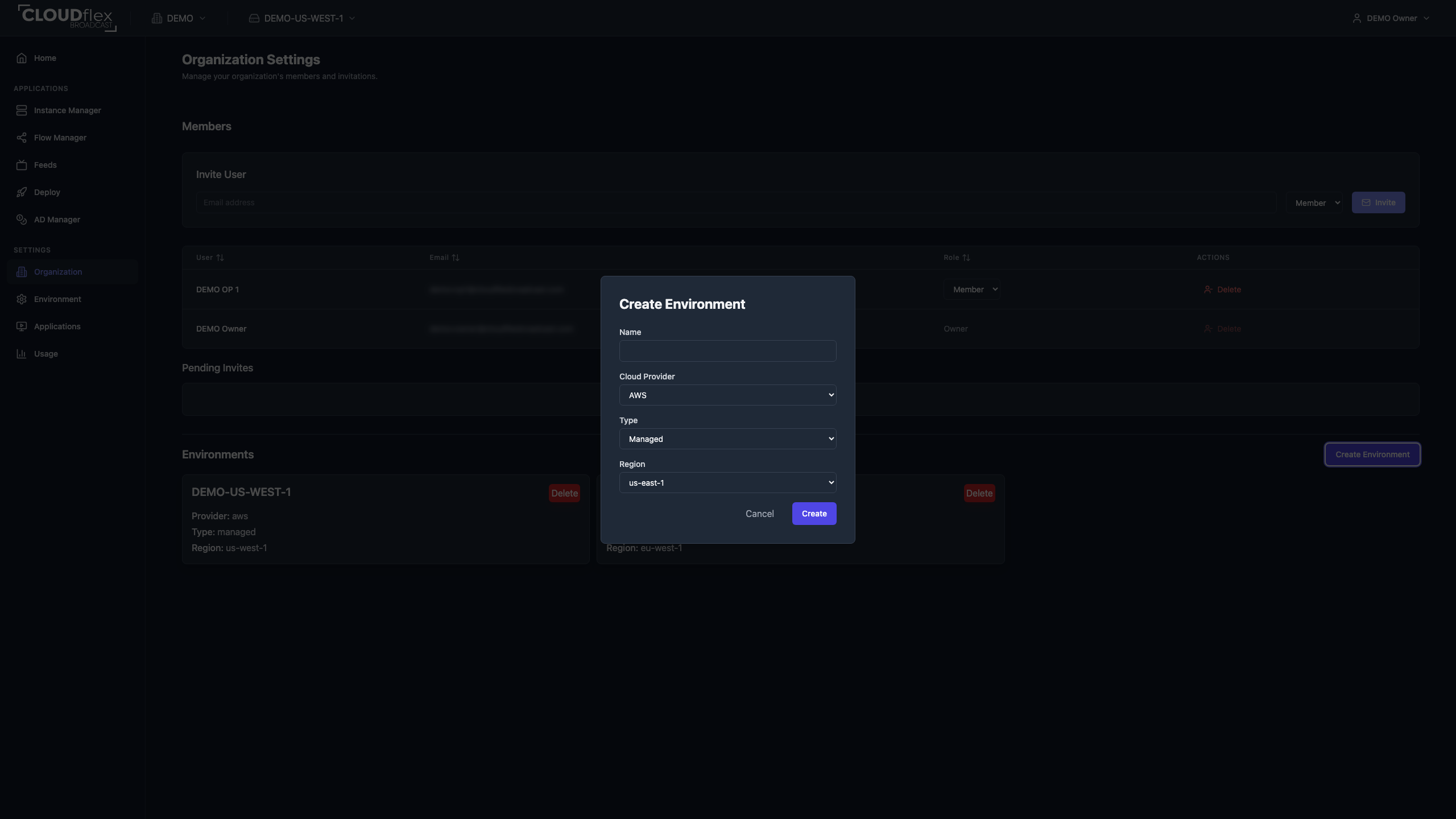
- Open Organization Settings.
- Under Environments, select Create Environment.
- Enter a name that identifies the account, region, or production boundary.
- Select AWS as the cloud provider.
- Choose Managed.
- Select the AWS region.
- Select Create.
Create a Self-Hosted AWS Environment
Section titled “Create a Self-Hosted AWS Environment”In a self-hosted environment, CLOUDflex operates resources in your organization’s AWS account. Before creating the environment, complete the AWS Self-Hosted Prerequisites. You need the access key ID and secret for the dedicated IAM identity during environment creation.
After completing the prerequisites:
- Open Organization Settings.
- Under Environments, select Create Environment.
- Enter a name that identifies the AWS account, region, or production boundary.
- Select AWS as the cloud provider.
- Choose Self-hosted.
- Select the AWS region.
- Enter the access key ID and secret for the dedicated IAM identity.
- Select Create.
Supported AWS Regions
Section titled “Supported AWS Regions”Supported regions shown in the staged UI are us-east-1, us-east-2, us-west-1, us-west-2, eu-central-1, eu-west-1, eu-west-2, me-central-1, me-south-1, ca-central-1, ap-southeast-1, and ap-southeast-2.