
Organization settings
Organization Settings is the organization-level administration area for members, pending invitations, and environments.
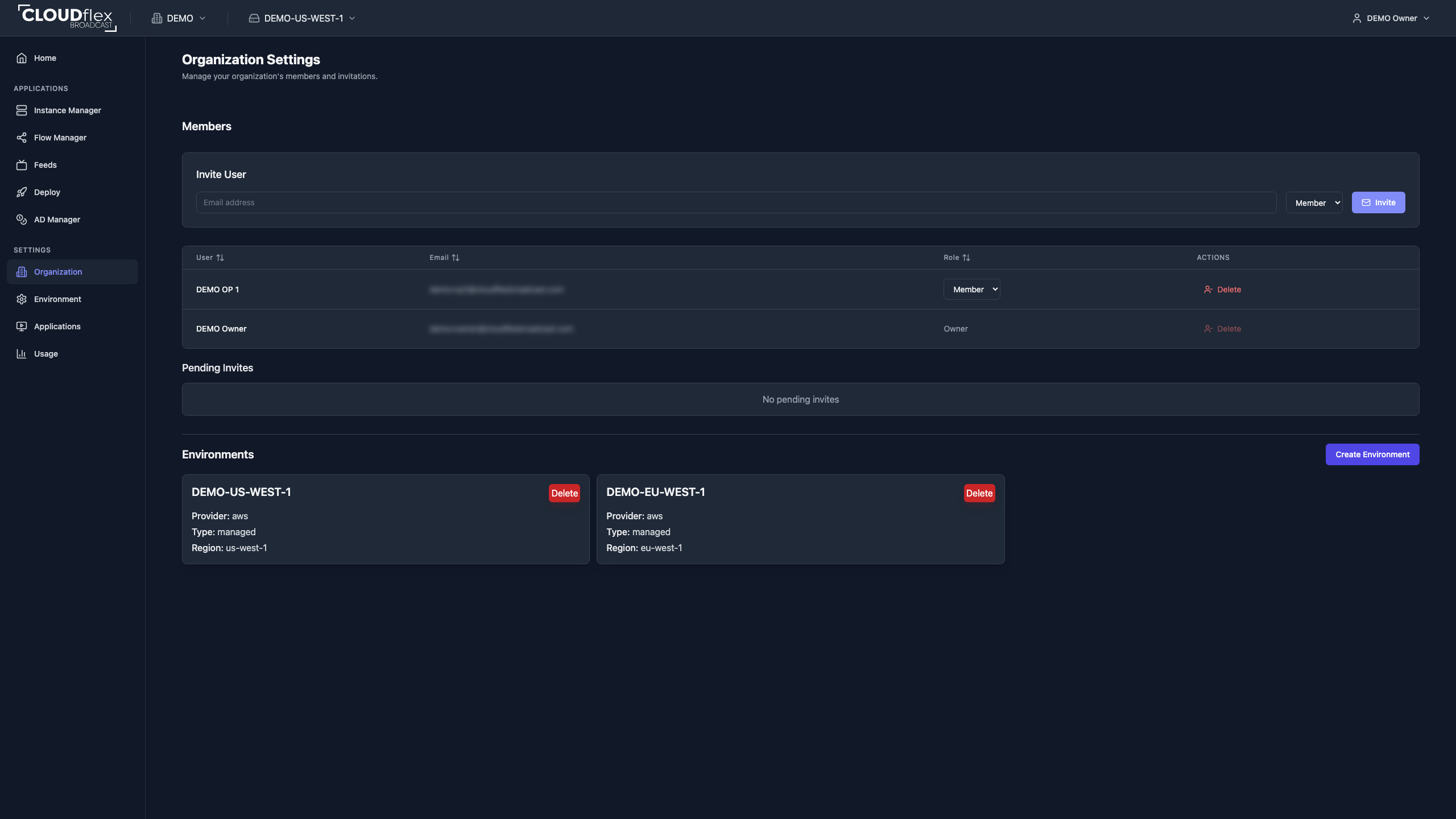
Manage Members
Section titled “Manage Members”The Members table shows each person’s organization role. An Owner or Admin can change a member between Admin and Member, or remove a person who no longer needs organization access. The Owner cannot be changed or removed from this table.
Organization membership does not give a Member access to production applications by itself. After adding a Member, assign the required application and studio permissions in each environment. See Application and studio permissions.
Invite a Member
Section titled “Invite a Member”- Enter the person’s email address under Invite User.
- Choose Member for scoped production access or Admin for organization-wide administration.
- Select Invite.
- Confirm the invitation appears under Pending Invites.
Use Member for operators, engineers, freelancers, and other people who should receive only assigned application access. See Members and invitations for invitation lifecycle details.
Manage Environments
Section titled “Manage Environments”The Environments section lists the organization’s production environments. From here, administrators can create an environment or remove one that is no longer required.
Before deleting an environment, confirm that its applications, credentials, studios, permissions, deployments, and production resources are no longer needed. Environment deletion is destructive.
For setup choices and supported AWS regions, see Organizations and environments.